Tag Archive | "tutorial"

60 Cartoon Character Illustration Tutorials

Tuesday, March 30, 2010

5 Comments

60 Cartoon Character Illustration Tutorials

In our way from beginners to skilled designers/illustrators, we all need quality information. But not always the information that is a treasure for us can be easily assimilated, and it needs a very attractive presentation. For instance, if you want to learn a certain feature from Adobe Illustrator, it is much easier through a video/illustrated [...]

Continue reading...

Illustrator tutorial - create a cute penguin

Tuesday, July 7, 2009

3 Comments

Illustrator tutorial - create a cute penguin

I’m not sure if my other tutorial about glossy text using the opacity mask was useful to someone, taking into consideration the fact that there are so many awesome sites providing amazing tutorials concerning illustrator. I found out that some things aren’t that hard to achieve, and I wanted to share that with some of [...]

Continue reading...

Illustrator Tutorial - The opacity mask and its glossy effect

Wednesday, July 1, 2009

2 Comments

Illustrator Tutorial - The opacity mask and its glossy effect

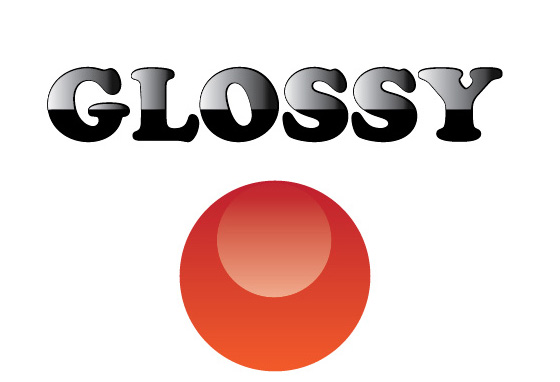
In order to achieve a specific good-looking final design, many designers have their own tips and tricks for that. I will start a series of tutorials, in a step by step method, for the ones who are new to Adobe Illustrator, and are looking for some quick and easy to apply information. For those who use [...]

Continue reading...

How to change colors palette from CMYK to Pantone in Corel Draw

Sunday, February 8, 2009

4 Comments

Since we’ve received  lots of requests regarding our t-shirt designs and how could they  be easily color separated for screen printing and printed, we will start with a small video tutorial we did for Corel Draw users (of course we will also make one for Adobe Illustrator). I did this tutorial because one of our [...]

Continue reading...

Frequent mistakes to avoid…Photoshop-wise! Part II.

Saturday, December 20, 2008

4 Comments

Frequent mistakes to avoid…Photoshop-wise! Part II.

You might remember part one of this article, where I talked about such topics as how lame my digital skills used to be and how doing certain things in Photoshop would make lots of eyes bleed disapprovingly. Next comes the second half of this MUST-READ article, where I will show you 5 more ways in [...]

Continue reading...

Spot colors. Shade them!

Sunday, November 9, 2008

2 Comments

Spot colors. Shade them!

Colors - we talked about how to lay the flats on our artwork, but this alone sometimes just doesn’t cut it. As I said, having only lines or lines and flat colors is fine, sometimes even better than an elaborate detailed thing – it all depends on the design you are doing. In most cases, if [...]

Continue reading...

Mock it good.

Saturday, October 11, 2008

11 Comments

Mock it good.

Let’s say that you are done working on a design and now it’s time to show the client your hard work. Well, if this is the case, you probably know that before you send the final file you need to send some mock-ups for approval. In the case you have everything done, sending at least 2 [...]

Continue reading...

From Raster to Vector. Halftones

Monday, September 22, 2008

17 Comments

From Raster to Vector. Halftones

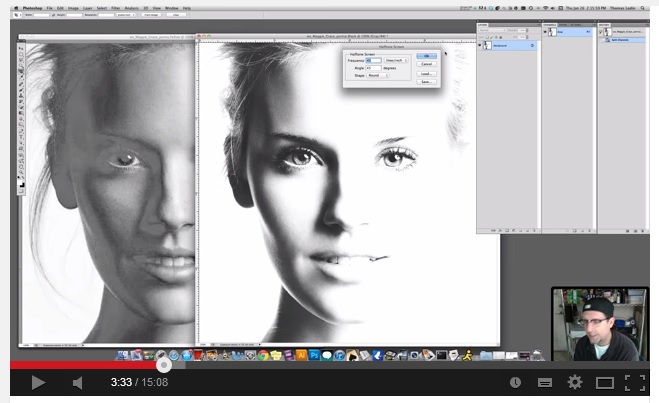
As you probably know, Illustrator works with vector format files, which is great in apparel/printing, because of the way vectors can scale infinitely, and also because of the automatic color separation option offered by Illustrator. I am going to try and explain a method that allows raster files, such as photos or digital paintings to be [...]

Continue reading...